 Activix
 AutoTrader
 Black Book
 CarGurus
 Equifax
 TransUnion
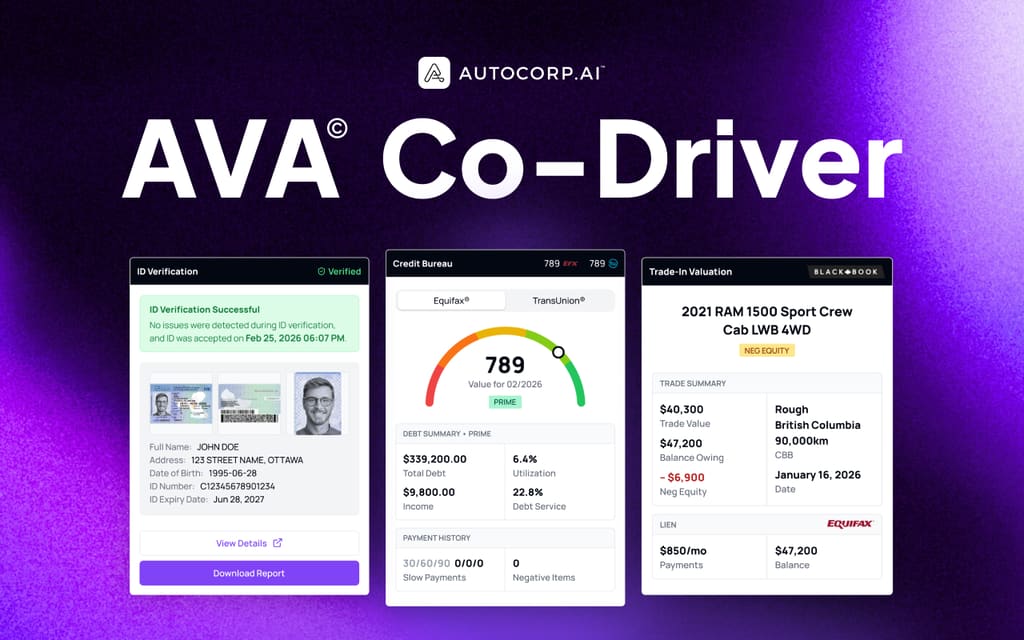


Google Ads for automotive: how to launch and manage campaigns that bring in buyers.
Running Google Ads for your dealership? This 8-step playbook for Canadian dealers covers everything from account structure and finance ad rules to tracking and weekly management, and how AVA® turns more of your clicks into qualified buyers.
Get Your Free Equifax®Credit Snapshot
No impact to your score. Get your Equifax info in seconds. Use it for your next vehicle.
First Name Continue*This will NOT impact your credit score
Powered by 
Google search ad
Sponsored · yourdealer.ca
See What You're Approved For | No Impact On Your Credit
Check your buying power in minutes with a soft credit check.
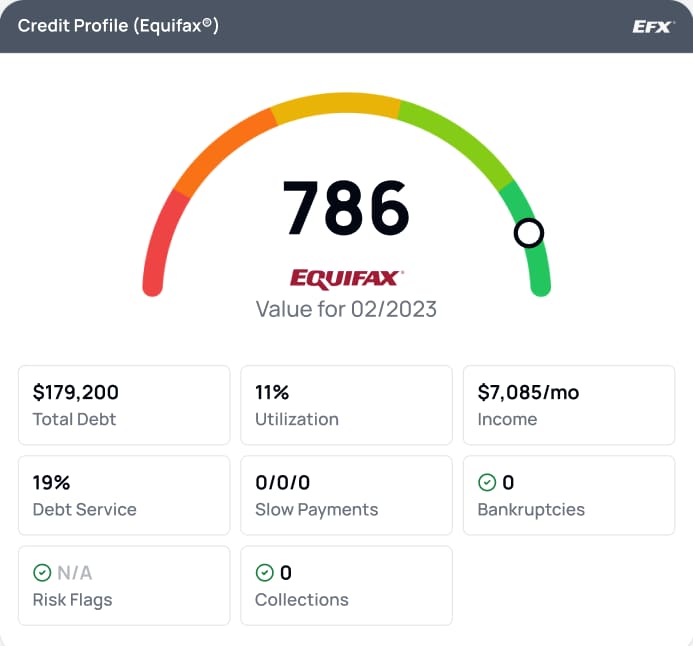
- Credit786

- Trade-In2019 Toyota RAV4$18,200 - $20,400
- Marketingppc-credit-mar-preapproval
Example data
In short
Running Google Ads for your dealership? Here's the eight-step playbook for launching and managing campaigns that bring in qualified buyers, not just clicks, and where AVA® makes each step work harder.
- Give every campaign one job
- Check the finance ad rules first
- Build keyword lists by intent
- Write ads that promise the next step
- Build a landing page that converts
- Track conversions that mean something
- Add display remarketing with ready-made banners
- Launch, then manage week by week
Watch the walkthrough
The whole guide in 2:10
Every step below, with the AVA® tip for each. Jump to a chapter, or read the transcript.
Chapters
- 0:00 Intro
- 0:12 Step 1: Give every campaign one job
- 0:28 Step 2: Check the finance ad rules first
- 0:43 Step 3: Build keyword lists by intent
- 0:56 Step 4: Write ads that promise the next step
- 1:08 Step 5: Build a landing page that converts
- 1:20 Step 6: Track conversions that mean something
- 1:35 Step 7: Add display remarketing
- 1:45 Step 8: Launch, then manage weekly
- 1:58 Get the full guide
Read the transcript
0:00 Running Google Ads for your dealership? Here's the eight-step playbook for launching and managing campaigns that bring in qualified buyers, not just clicks, and where AVA by Autocorp.ai makes each step work harder.
0:12 Step one: give every campaign one job. Split search into credit, trade and test drive campaigns, plus one display campaign for retargeting. When intents share a campaign, Google spends on the cheapest click, which is rarely the one that sells cars.
0:28 Step two: check the finance ad rules. Credit ads in Canada can't target by age, gender or full postal code. Radius targeting is fine. With AVA, qualification happens on the page, so broad, policy-safe targeting still delivers qualified leads.
0:43 Step three: build keyword lists by intent. Bad credit car loan goes to AVA Credit. What is my car worth goes to AVA Trade. Start with phrase and exact match, and add negatives on day one.
0:56 Step four: write ads that promise the next step. Use the shopper's words, say what happens when they click, and keep it accurate. A soft pull has no impact on their score, but approval is always the lender's call.
1:08 Step five: build a landing page that converts. Never send paid search to your homepage. Embed the AVA flow so it's the first thing a shopper sees, and every lead arrives with a credit profile attached.
1:20 Step six: track conversions that mean something. Add your UTMs as a final URL suffix, then import AVA credit and trade submissions from GA4 as primary conversions. Now Smart Bidding optimizes for buyers, not form fills.
1:35 Step seven: add display remarketing to bring back shoppers who started and left. The AVA banner packs are already in your Marketing Library, in landscape, square and vertical.
1:45 Step eight: launch, then manage week by week. Test every page first, hold steady for one to two weeks, and judge ad groups on submissions. The UTM Campaigns view in AVA shows units sold for every campaign.
1:58 Get the full step-by-step guide on autocorp.ai, and book a demo to see AVA running on your own site and ad accounts. Start with credit. Close more deals.
Real dealer results
All customer stories →The secret sauce
Why AVA® gets you better leads for less
The ad platforms are very good at finding more of whatever you tell them is a conversion. Most dealers tell them "a form fill". AVA® lets you tell them "a shopper who checked their credit or valued their trade", and that changes who they find.
Inside AVA®
From ad click to sold, in one platform
Here's what happens after a shopper taps your ad. Click through each view.
What the shopper sees
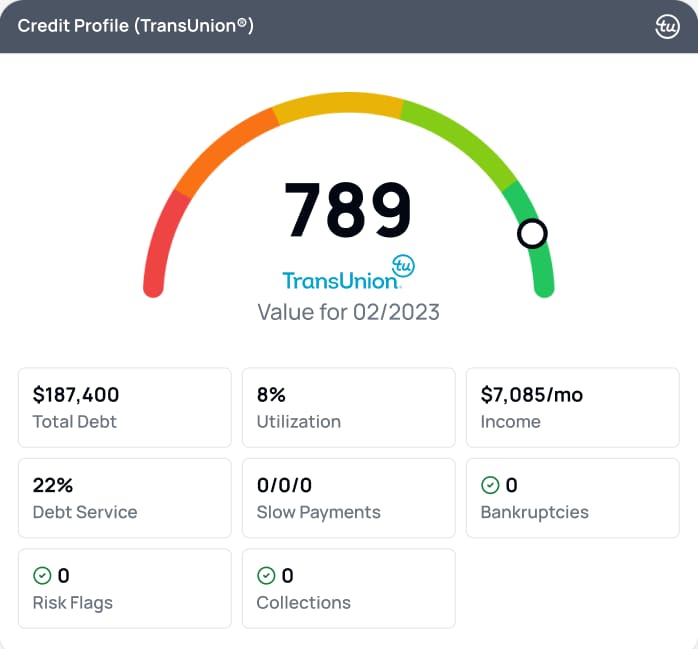
Your Free Equifax Credit Snapshot
Value for Feb 14, 2023
GOOD
Data provided by
You're Pre-Qualified!
Likelihood of Approval: HIGH
How would you like to proceed?
Book a Test Drive Apply For FinancingWhat your team sees in AVA®
Trade-In Vehicle
Activity
- Alex M. pulled TransUnion credit report with verbal and inquiry consent attested
- Sarah K. booked Test Drive appointment
- Sarah K. received trade-in estimate
- Sarah K. received softpull credit report
Agent
Hi Sarah, thanks for checking your options with Your Dealership. Your results are ready. Want to see the SUVs that fit your budget this week?
Customer
Yes! Saturday morning works
Agent
Great. You're booked for Saturday at 10. We'll have your trade value ready too.
| Campaign Name | Leads Created | Sold | Appointments | Trade | Credit |
|---|---|---|---|---|---|
| ppc-credit-mar-preapproval | 48 | 5 | 6 | 9 | 31 |
| ppc-trade-mar-retarget | 37 | 3 | 4 | 29 | 8 |
| sms-trade-mar-service | 22 | 2 | 2 | 18 | 5 |
| qr-drive-mar-showroom | 14 | 2 | 14 | 1 | 3 |
The AVA® Portal UTM Campaigns table (Marketing → UTM) with sample numbers. Data refreshes every night.
Product views with example data
Give every campaign one job
Before you open Google Ads, decide what each campaign is for. A dealership has four jobs worth paying for: getting shoppers to check their credit, value their trade, book a test drive, or come back after they've left. One campaign per job keeps budgets honest. Mix them and Google spends on whatever is cheapest to click.
- Search · Credit: financing and approval searches
- Search · Trade: trade value and "sell my car" searches
- Search · Drive: model and test drive searches
- Display · Retarget: people who visited and didn't finish
| Campaign | Goal | Lands on |
|---|---|---|
| Search · Credit | Credit check | AVA® Credit |
| Search · Trade | Trade value | AVA® Trade |
| Search · Drive | Test drive | AVA® Drive |
| Display · Retarget | Come back | Matching AVA® flow |
Every campaign gets a purpose-built destination on day one. AVA® Credit, Trade and Drive flows install on your site in minutes through Google Tag Manager, with no developer.
Check the finance ad rules first
Credit ads in Canada fall under Google's consumer finance policy. You can't target or exclude by age, gender, parental status, marital status or full postal code. Targeting the first three characters of a postal code (the FSA, like K1P) or a radius around your store is still fine. Remarketing lists are also restricted for finance ads.
Trade and test drive campaigns aren't finance ads unless the copy mentions payments or approvals. When in doubt, treat it as finance.
Most dealers lose lead quality when demographic targeting goes away. With AVA®, qualification happens on the page: the soft pull tells you who can buy, so broad, policy-safe targeting still delivers qualified leads.
Build keyword lists by intent
Group keywords by what the shopper is trying to do. Add your city or region to the high-intent ones. Start with phrase and exact match while you learn which terms convert, and add negatives like jobs, salary, free, repo auction on day one.
| Theme | Example searches | Send to |
|---|---|---|
| Credit rebuilding | bad credit car loan, car loan after bankruptcy | AVA® Credit |
| Pre-approval | car loan pre approval, how much car can I afford | AVA® Credit |
| Trade value | what is my car worth, trade in value [city] | AVA® Trade |
| Test drive | [model] test drive, [model] near me | AVA® Drive |
Every keyword theme has an AVA® flow that answers the search directly. That match is what keeps your Quality Score and conversion rate up, and your cost per click down.
Want this set up for your store?
We’ll walk through your ad accounts, landing pages and tracking in a 30-minute demo.
Write ads that promise the next step
The ad's only job is to promise what the landing page delivers. Use the shopper's words in the headline, say what happens next, and keep claims accurate: a soft pull has no impact on their score, but approval is always the lender's call. Write at least three headlines per ad group and add sitelinks to your other intent pages.
Sponsored
yourdealer.ca
See What You're Approved For | No Impact On Your Credit
Check your buying power in minutes with a soft credit check. Real options before you visit. Rebuilding credit? We can help.
Get Pre-ApprovedValue My TradeBook a Test Drive
AVA® gives you specific, honest promises to put in ads: "no impact on your credit score", "real Canadian Black Book value", "book in minutes". Need first drafts? The free ad copy generator writes them.
Build a landing page that converts
Never send paid search to your homepage. Each campaign gets a page where the AVA® flow is the first thing a shopper sees. For search traffic, embed the full form. For colder traffic, use a large hero CTA with a sentence of context.
Add the AVA® script once, then place a CTA wherever you want it:
Swap in tradeTool or driveTool for the other flows. For colder traffic, CTA types include inlineHero, bannerHero, banner, inline, floating and button.
The AVA® flow is the landing page's conversion engine: a shopper checks their buying power in about a minute, and you get a lead with their credit profile attached instead of a name and an email.
Track conversions that mean something
Leave auto-tagging on. Then add your UTMs as a Final URL suffix so every click carries its campaign name into your lead data. Set it once under Admin → Account settings, and override the campaign name at campaign level:
| GA4 event from AVA® | Use in Google Ads |
|---|---|
credit_tool_submitted | Primary conversion |
trade_tool_submitted | Primary conversion |
credit_app_submitted | Primary, highest value |
drive_tool_submitted | Primary for Drive campaigns |
widget_opened | Secondary only |
This is where cheaper qualified leads come from. Import AVA® credit and trade submissions from GA4 as your primary conversions, and Smart Bidding learns to find shoppers who check credit and value trades, not people who fill in anything.
Add display remarketing with ready-made banners
Most shoppers won't finish on the first visit. A display campaign brings back people who opened a flow and left. Use the landscape banner for Google Display, upload the square version as a responsive asset, and point each banner to its matching AVA® page.
Keep financing language out of remarketing creative unless you've checked eligibility, because remarketing lists are restricted for finance ads.
The AVA® Credit and AVA® Trade banner packs are in the AVA® Asset Library, one click from the Marketing menu in your portal, in landscape, square and vertical. No designer, no waiting.
Launch, then manage week by week
Test every intent page with a real submission before you spend. Then hold steady: watch search terms and add negatives for the first few days, take your first read on day 7, and make structural changes only after 7 to 14 days. Judge ad groups on submissions, not click-through rate.
| Campaign Name | Leads Created | Sold | Appointments | Trade | Credit |
|---|---|---|---|---|---|
| ppc-credit-mar-preapproval | 48 | 5 | 6 | 9 | 31 |
| ppc-trade-mar-retarget | 37 | 3 | 4 | 29 | 8 |
| sms-trade-mar-service | 22 | 2 | 2 | 18 | 5 |
| qr-drive-mar-showroom | 14 | 2 | 14 | 1 | 3 |
The AVA® Portal UTM Campaigns table (Marketing → UTM) with sample numbers. Data refreshes every night.
The UTM Campaigns page in the AVA® Portal (Marketing → UTM) shows leads, credit apps, trades, appointments and units sold for every tagged campaign. Click one to see its leads. Budget goes where the Sold column grows.
AVA® marketing banners
Ready-to-run creative, one click from your portal.
Every format your Google and Meta campaigns need, already designed and waiting in the AVA® Asset Library.
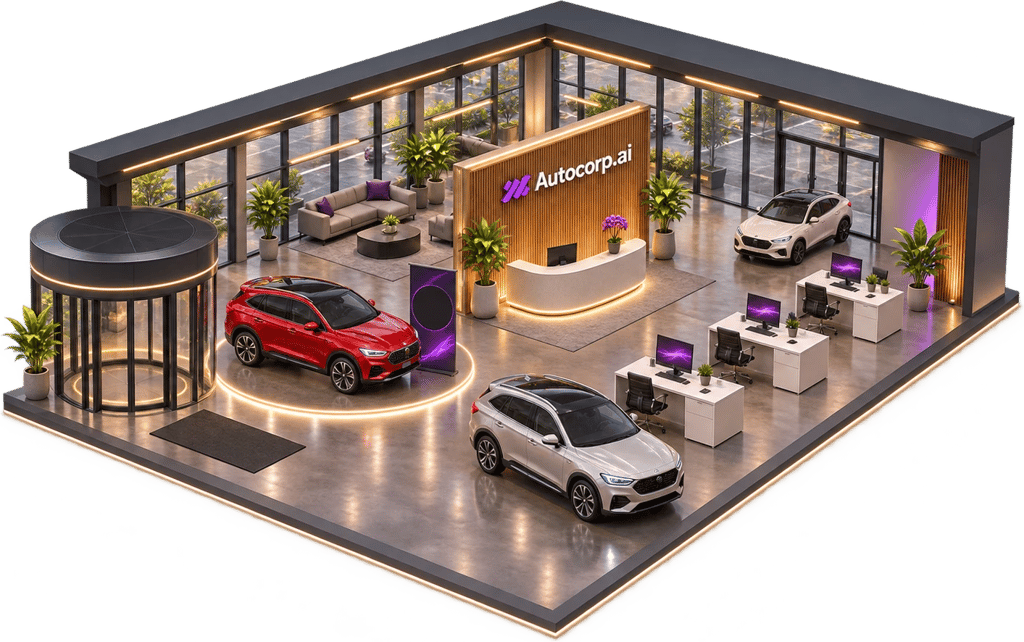
Sell more cars in the store and online
Shoppers reach you on the lot and on your website. AVA® qualifies them the same way in both, so your team always starts with credit, trade and ID.

- Full Name
- JORDAN BLAKE
- Date of Birth
- 1995-06-28
- ID Expiry
- Jun 28, 2029



Credit Snapshot

- Full Name
- JORDAN BLAKE
- Date of Birth
- 1995-06-28
- ID Expiry
- Jun 28, 2029
From dealers using AVA®
650+ dealerships. 4.9 from verified reviews.
We generated more credit-qualified leads in the first month than we did in 5 years combined.
We're seeing more credit app leads, more test drive leads, more leads in general.
 B BrodySales Manager, Pacific Chevrolet ▶
Having an enticing button on our website to have people bring in trade-ins has really been a game changer.
We use the credit app, AVA® ID, and trade appraisal. All of them work fantastic and send us lots of leads.
 JP John PepeSpadona Used Cars and Trucks ▶
I wouldn't be making all these customers happy without AVA®'s amazing lead generation.
 E EthanCampbell River Honda ▶
What used to take hours of getting stuff together can all be in one place in a matter of minutes.
 C CoreyConlon Motorsports ▶
Questions
What marketers ask us
Still deciding? A 30-minute demo walks through your store's setup, tailored to your site and ad accounts.
Can I target by age or postal code for credit ads?
Not for consumer finance ads in Canada. Google blocks age, gender, parental status, marital status and full postal code targeting. The first three characters of a postal code (the FSA) and radius targeting are still allowed.
How does AVA® connect to Google Ads?
Through GA4. AVA® sends events like credit and trade submissions to your GA4 property, and you import them into Google Ads as conversions.
Do I need a developer to install AVA®?
No. Connect Google Tag Manager from the AVA® Portal and AVA® is live on your site in minutes, on any website platform, including Dealer.com and DealerOn. If you'd rather, your web team can add a single script tag. Our onboarding team helps with setup.
Does the soft credit check affect the shopper's score?
No. AVA® Credit uses a soft pull, so there's no impact on the shopper's credit score. Approval is always up to the lender.
Where do the marketing banners come from?
AVA® Credit and AVA® Trade banner packs are in the AVA® Asset Library, linked from the Marketing menu in your AVA® Portal, in vertical, square and landscape formats. Use them as they are or add your dealership's branding.
Keep reading
More ways to run ads with AVA®
Start With Credit. Close More Deals.
See how AVA® turns your ad spend into pre-qualified credit, trade and test drive leads, with tracking down to units sold.