 Activix
 AutoTrader
 Black Book
 CarGurus
 Equifax
 TransUnion


In-Store Car Sales Software
Turn foot traffic
into sold cars
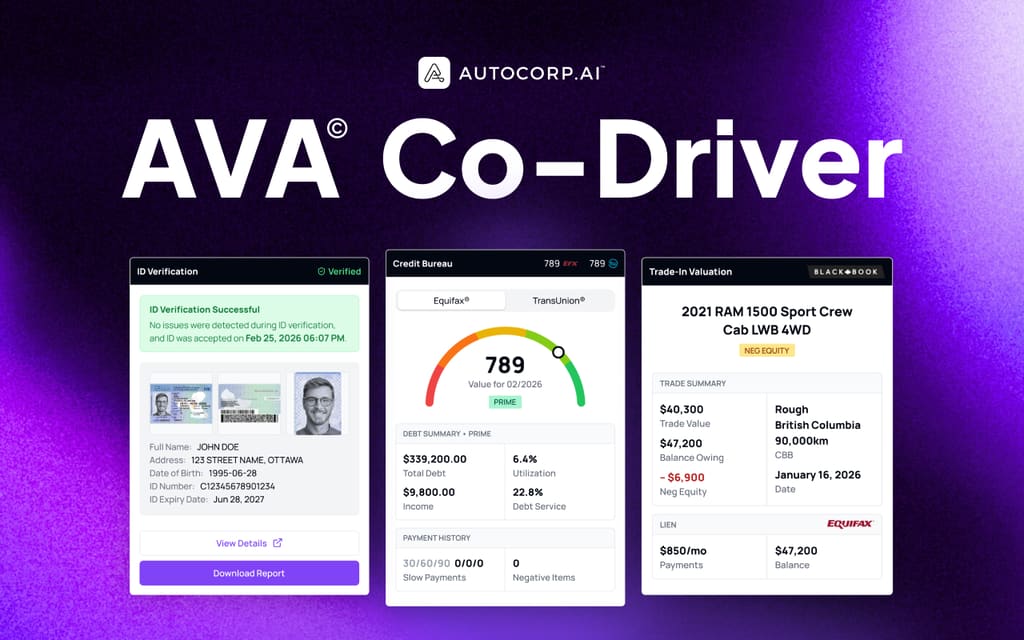
A walk-in is the best lead you get all day. AVA® gives your showroom team a full TransUnion soft pull, verified ID, a QR code for every shopper and a real trade value, before anyone sits down at the desk.
What is in-store car sales software?
In-store car sales software is what your team uses while the customer is standing in front of them: checking credit, verifying identity, valuing the trade and getting the deal to the desk. AVA® does each of those from the customer's own phone or your portal, with consent captured at every step and no impact on their credit score.
- JB Jordan Blake 2024 CX-5 Running soft pull Reading credit file Prime Sales
- MR Marcus Reid 2021 F-150 Running soft pull Reading credit file Subprime Finance
- PN Priya Nair 2023 Civic Running soft pull Reading credit file Newcomer Newcomer desk
- SO Sam Okafor 2022 Tiguan Running soft pull Reading credit file Neg Equity Finance
- EF Elena Fortin 2025 RAV4 Running soft pull Reading credit file Prime Sales
TransUnion soft pull
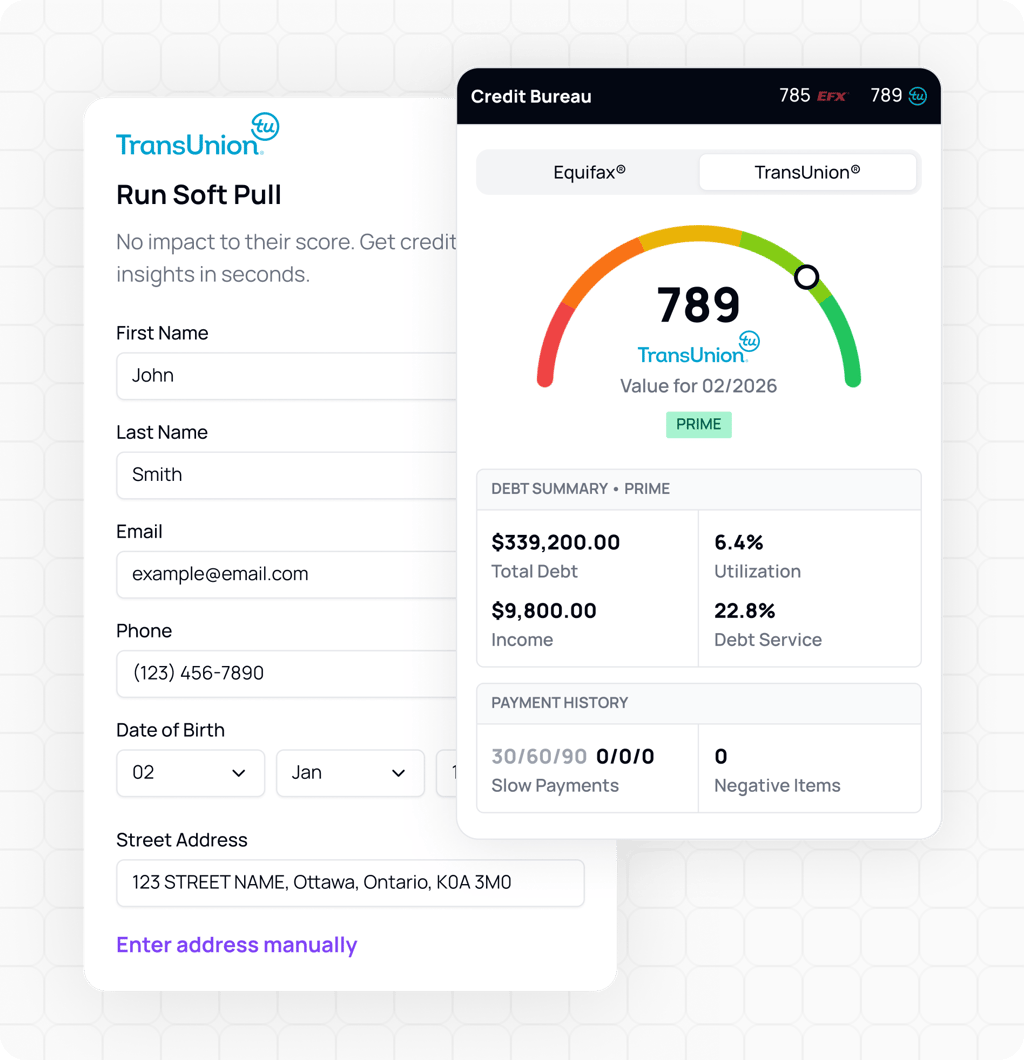
The full TransUnion bureau by soft inquiry, started by your team with the customer's consent.
ID verification
Government ID scan and selfie match before the test drive, with a lender-ready report.
QR codes
Posters and VeriDrive stickers let shoppers qualify from their own phone in about 60 seconds.
Trade value
Canadian Black Book value with the lien and equity position, before you negotiate.
Everything your showroom team needs before the desk
See the full bureau without the hard inquiry
With the customer's consent, your team runs a full TransUnion bureau by soft inquiry. Score, trade lines, inquiries and public records land in your portal in under 30 seconds, with zero impact on the customer's credit.
- The same depth your lender sees
- Started by your team, in store
- Equifax soft pulls are standard on every plan
Know who is taking the keys
VeriDrive scans the driver's license, matches it to a selfie and flags fraud risk before the test drive. The verified ID is stored with the customer and prints as a lender-ready report.
- Government ID check with biometric match
- One-click IDV report for the lender
- ID and soft pull credit in one scan

Let the showroom qualify itself
Put a poster on the floor and a sticker on the windshield. Shoppers scan, complete a credit, trade or ID flow on their own phone, and the lead goes to the rep assigned to that poster.
- Print-ready posters with your dealer logo
- VeriDrive stickers for test drives
- Works while your team is with another customer

Walk to the desk with a real trade number
AVA® Trade shows the Canadian Black Book value, the lien holder and balance owing, and the equity position. You know about negative equity before you present payments.
- Canadian Black Book valuation
- Lien and balance owing from the bureau
- Negative equity flagged up front

Every test drive verified and qualified
One scan before the keys go out gives your desk a verified ID and, if the customer agrees, a soft pull credit profile tied to the vehicle they are driving.
- Verified ID before the test drive
- Optional soft pull on the same scan
- Profile ready when they come back

The showroom with and without AVA®
| Typical showroom | Showroom with AVA® | |
|---|---|---|
| First five minutes | Small talk and a guess at the budget | A scan that returns credit, ID and trade data |
| Credit | A hard pull at F&I, late in the deal | A soft pull up front, with no score impact |
| Test drive | A photocopy of the license | Verified ID with a biometric match |
| Trade | An estimate that changes at the desk | Black Book value with lien and equity |
| Busy Saturdays | Shoppers wait or walk | QR posters qualify them while they wait |
From the door to the desk
-
The shopper scans
A QR poster on the floor or a VeriDrive sticker on the vehicle opens the flow on their own phone.
-
AVA® verifies and qualifies
Their ID is checked and a soft pull runs with their consent. Nothing touches their credit score.
-
Your team sees the profile
Credit, trade and ID land in AVA® Portal, and Co-Driver shows them beside your CRM or desking tool.
-
The desk structures the deal
You start from real numbers: credit tier, payoff, equity and a verified customer.
What runs on the showroom floor
In-store car sales, answered
What sales managers ask about using AVA® on the floor.
What is in-store car sales software?
Does an in-store soft pull affect the customer's credit score?
Can we pull TransUnion as well as Equifax?
How do QR codes work in the showroom?
Do lenders accept the ID verification report?
Does my team need to learn a new system?
See AVA® work a walk-in
15 minutes. A working demo from the QR scan to the profile at your desk.