 Activix
  AutoTrader
  Black Book
  CarGurus
  Equifax
  TransUnion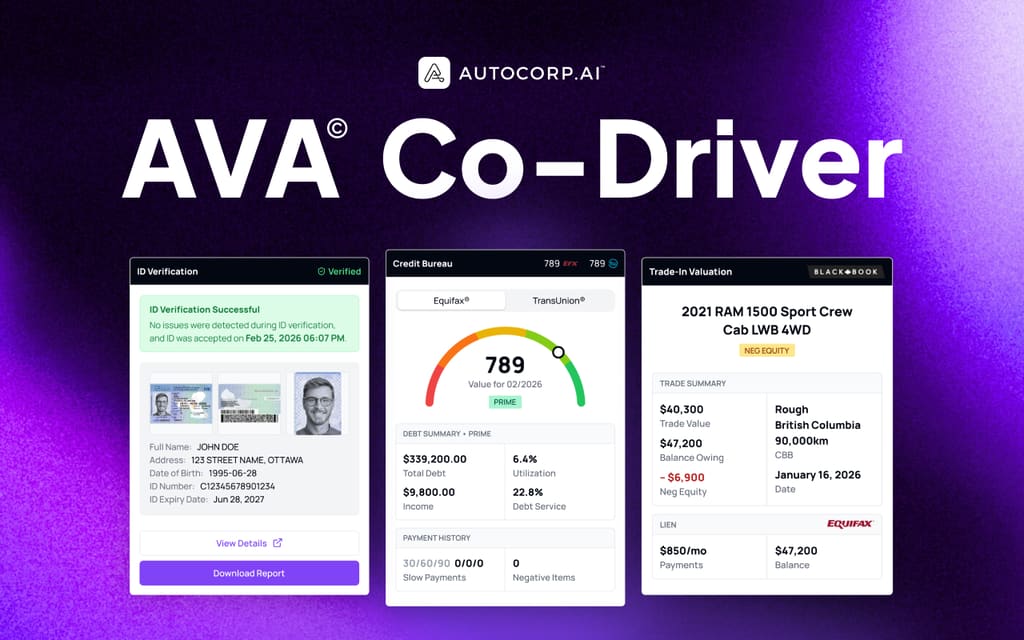



There is no shortage of dealership lead-capture tools to choose from, and most of them offer isolated widgets that force shoppers to start over at every step. A buyer finishes a credit check on one page, hits a dead end, then has to re-enter their name, address, and vehicle info on a separate trade form, and start again when they want to book a test drive. By the third form, most of them are gone.
In contrast, a frictionless consumer experience lets a shopper move from credit check, to trade valuation, to test drive booking without ever losing their place. That is the gap AVA® Consumer Widget was built to close.
A high-quality dealership consumer experience should have:
Cross-product navigation that preserves progress. The shopper can jump from a credit application to a trade valuation to a test drive booking inside one continuous flow, with their info carried forward each time.
Partial lead submission. Even if a shopper abandons the flow at step 3 of 4, the dealership still receives a usable lead with everything they entered up to that point.
Address autocomplete. Instead of typing out a full street, city, province, and postal code, the shopper picks their address from a dropdown in two keystrokes.
French localization. Shoppers can run the entire credit, trade, and test drive flow in their preferred language on the same widget the dealership already installed.
Those four capabilities are what separate a "digital form on a website" from an actual frictionless digital experience. In the sections below, we'll walk through how AVA® Consumer Widget delivers each one.
Note: AVA® Consumer Widget was built specifically to let shoppers complete credit, trade, and test drive bookings in a single uninterrupted flow. You can read the detail below or book a demo to see it running on a dealership site.
AVA® Consumer Widget
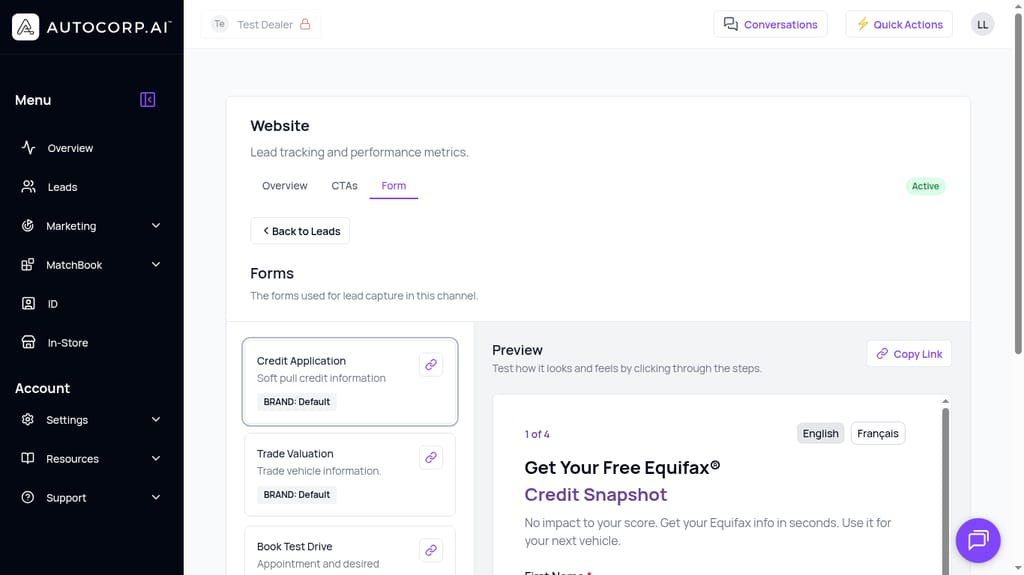
AVA® Consumer Widget is the shopper-facing layer that sits on a dealership's website and powers AVA® Credit, AVA® Trade, and AVA® VeriDrive (test drive booking) as one connected experience. It is built around the four capabilities we listed above:
- Cross-product navigation that preserves progress
- Partial lead submission
- Address autocomplete
- French localization
Below, we'll explore each one.
Cross-product navigation that preserves progress
One flow from credit check to trade valuation to test drive booking.
In most dealership tech stacks, the credit widget, the trade-in tool, and the test drive scheduler are three separate forms living on three separate pages. A shopper who finishes a credit prequal and then clicks "Value my trade" is treated as a brand new visitor. Name, email, phone, address, all of it has to be entered again. Each handoff is a chance for the shopper to leave.
AVA® Consumer Widget treats Credit, Trade, and VeriDrive as steps inside one session rather than three different products. Once a shopper identifies themselves at the start of the flow, that data is carried into every subsequent product without a re-entry screen.
One shared session across Credit, Trade, and Drive
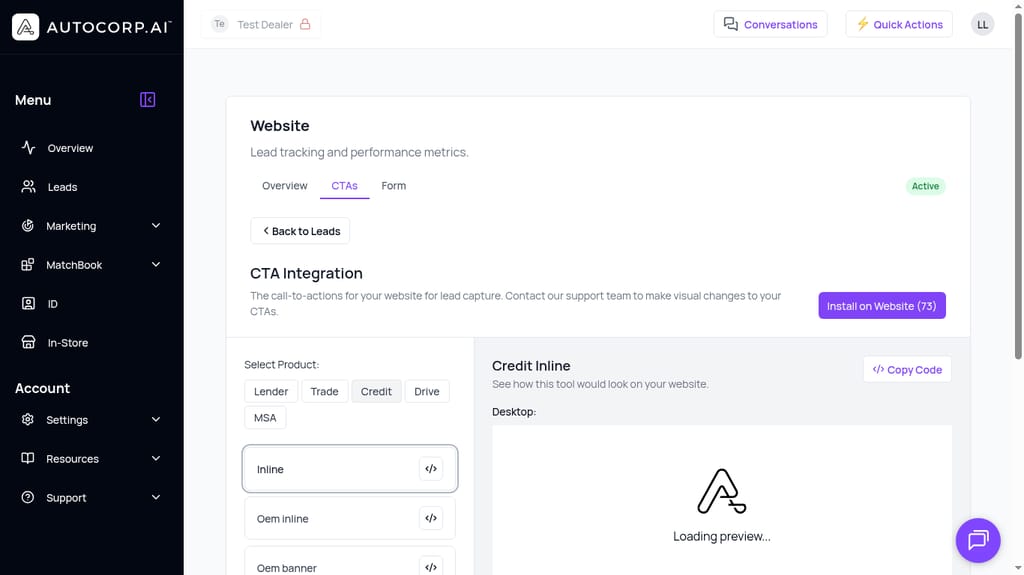
The widget is configured per dealership channel with Credit Application, Trade Valuation, and Book Test Drive available as linked steps. When a shopper completes the credit prequal, the widget prompts them to continue into trade or test drive booking inside the same session. Their contact info, address, and employment details populate the next form automatically.
Step indicators that reflect the full journey, not just one form
Each product shows a clear step indicator (for example, "1 of 4" inside the credit application) so shoppers always know where they are in a given stage. When they move to the next product, the progress state is maintained server-side so a refresh or a return visit does not reset their position.
Resumable sessions across devices
If a shopper starts the credit application on a desktop and comes back later on their phone, the widget can resume them through the same access token flow used in the Hybrid and AI/Automation integrations. The dealership can also text a resume link directly to the shopper, so they continue from where they stopped instead of starting over.
Deal context carries into the dealership portal
Because the three products share one session, the lead that lands in the AVA® Portal arrives with credit tier, trade details, and desired test drive time attached to the same record. The sales team opens one lead profile and sees Credit Report, Trade, and Test Drive Appointments as tabs on the same shopper, not three separate inquiries to stitch together.
Partial lead submission
If a shopper quits halfway, you still get the lead.
The old assumption behind lead forms was simple: no submit button, no lead. If a shopper filled out 80% of a credit application and then closed the tab, the dealership got nothing. That is a bad trade for everyone. The shopper gave real information and never heard back. The dealership lost a warm, high-intent buyer because the final field was one too many.
AVA® Consumer Widget flips that behavior. The widget writes lead data to the AVA® Portal progressively as the shopper fills it out, not only on final submit.
Progressive save on every completed step
As a shopper advances through the four-step credit flow, each completed step is pushed to the backend. If they drop off after step 2, the dealership receives a lead with first name, last name, email, phone, date of birth, and any address or employment info they already entered. The lead still appears in the Leads list with its credit tier, trade indicator, and whatever else was captured before the drop-off.
Follow-up is possible on abandoned flows
Because the lead exists in AVA® Portal even without a final submit, a BDC rep can call or text the shopper, confirm the missing details, and finish the application manually or send a resume link so the shopper can pick up where they stopped. Sales and BDC teams get a real second chance on leads that would have silently vanished before.
Clear visibility of in-progress vs completed leads
In the Leads view, each record carries the data that was captured, so the team can see what stage a shopper reached. A record with contact info but no credit tier tells the rep "they started the credit check but did not finish it," which is a very different call than a cold lead with only a name and email.
Fewer abandoned forms, more useful leads
For a Sales or Operations manager, this is one of the highest-leverage capabilities in the widget. If 40% of leads today are low-intent, the shoppers you most want to recover are the ones who started a credit app and bailed. Partial submission turns that silent drop-off into a BDC task.
Address autocomplete
Fewer keystrokes, cleaner data, higher completion.
Address entry is one of the most common drop-off points in any multi-step credit form. The shopper has to type a street number, street name, city, province, country, and postal code, and any typo in the postal code can block the next step. On mobile, this is where a lot of shoppers close the tab.
AVA® Consumer Widget replaces the stack of individual address fields with address autocomplete. The shopper starts typing their street number, picks their address from a dropdown, and every related field fills in instantly.
AVA® permet aux clients de vérifier leur crédit et leur valeur d'échange en quelques secondes, sans incidence sur la cote. Voyez le résultat.
Réserver une démo →One field replaces five
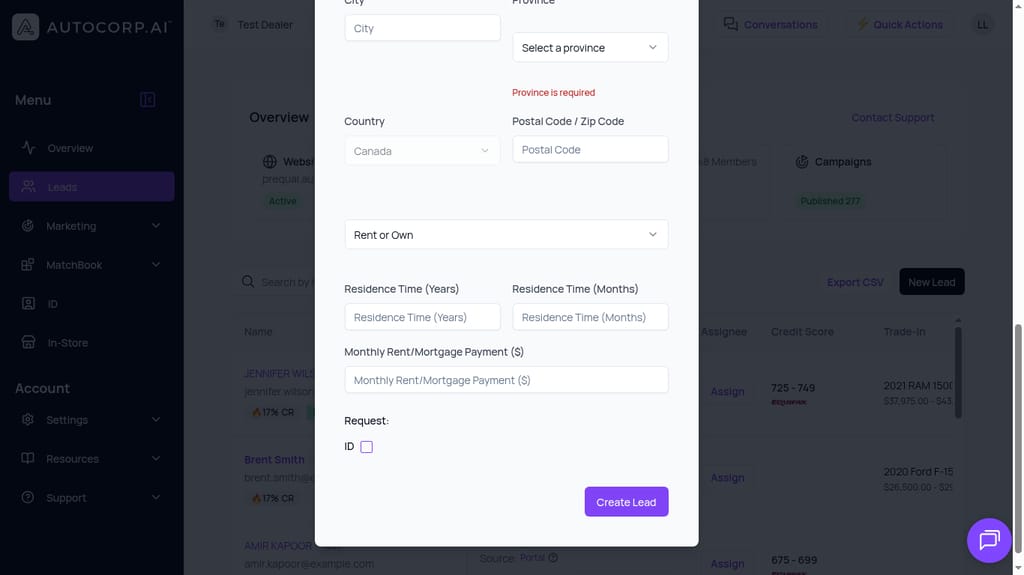
Instead of filling City, Province, Country, and Postal Code as separate inputs (each with its own validation like "Province is required"), the shopper selects a single verified address. City, province, country, and postal code populate from the match.
Clean, standardized data for the credit bureau and lenders
Credit bureaus and lenders are picky about address format. A mis-typed postal code or an abbreviated street can cause a soft pull to come back with reduced data or an outright failure. Autocomplete returns a standardized, validated address, which means fewer rejected pulls and fewer "we need to confirm your address" callbacks before funding.
Fewer errors on mobile
Most shoppers filling out a dealership credit form are doing it on their phone. Tapping through five tiny address fields is the single worst experience in a mobile credit flow. Replacing it with a single autocomplete field cuts the number of taps required and removes the validation errors that cause shoppers to give up.
Residence history stays intact
The widget still captures the data that lenders need for a credit decision, including rent or own, residence time in years and months, and monthly rent or mortgage payment. Autocomplete only replaces the slow, error-prone part of address entry, not the underlying residence profile.
French localization
Run the whole flow in the shopper's language.
A bilingual Canadian dealership used to need two separate landing pages, one English and one French, and those pages often fell out of sync. The shopper's experience depended on whether marketing had remembered to update both versions, and a Francophone buyer who landed on the English page often just bounced.
AVA® Consumer Widget handles English and French inside the same widget. The shopper picks their language with a toggle at the top of the form, and the entire flow (Credit, Trade, VeriDrive, confirmations, error messages) renders in that language.
Language toggle on the first screen
On the first step of the credit application, a visible toggle switches between English and Français. The shopper's choice applies to every subsequent step and every subsequent product in the session, so they do not have to re-select the language when they move from credit to trade or test drive booking.
Translated labels, help text, and compliance copy
The translations cover more than field labels. Required-field validation, consent language around the Equifax soft pull, trade valuation disclosures from Canadian Black Book, and test drive confirmation messages all localize. That matters for compliance, because the shopper is agreeing to specific legal language before the credit pull happens.
One embed code, two languages
Dealerships install one copy of the AVA® Consumer Widget on their site and do not have to maintain a separate French landing page. Marketing can run bilingual campaigns through the same CTA and the same URL, and the shopper lands on a flow that respects their language from the first click.
Wider reach without extra dealer effort
For a dealership in Quebec, or in a bilingual market like Ottawa or Moncton, this changes who you can actually convert online. The widget stops being an English-only tool bolted onto an English-only landing page.
If you want to see the full flow (credit, trade, test drive booking) running on a real dealership site with address autocomplete and the language toggle live, book a demo and we'll walk through it with a shopper journey end to end.
How this fits with the rest of AVA®
The AVA® Consumer Widget is the shopper-facing surface. Once a lead comes through, it lands in the AVA® Portal where the dealership team uses the rest of the stack to work the deal:
- AVA® Credit adds the Equifax soft-pull credit tier to the lead so the sales floor knows who to prioritize.
- AVA® Trade attaches a Canadian Black Book valuation and surfaces lien and equity details.
- AVA® ID handles KYC-compliant identity verification before funding.
- AVA® VeriDrive books the test drive against a verified ID.
- AVA® MatchBook connects the approved credit profile to inventory the shopper can actually buy.
- AVA® Co-Driver (the Chrome extension & Microsoft Edge extension) brings the shopper's AVA® data into the desking and finance tools the F&I team already uses.
The AVA® Consumer Widget is what makes all of that start on the shopper's terms instead of the dealership's.
Frequently asked questions
What does "frictionless digital experience" actually mean for a dealership?
For a dealership, frictionless means a shopper can go from "I'm interested" to "I've prequalified, valued my trade, and booked a test drive" without being asked for the same information twice and without having to switch between three disconnected tools. Everything they entered online shows up in the sales team's view of the lead, so the first conversation starts with real numbers instead of discovery.
How does the AVA® Consumer Widget reduce drop-off compared to a traditional credit form?
Three big ways. Address autocomplete removes the slowest part of mobile form entry. Partial lead submission means a shopper who quits at step 3 still becomes a workable lead instead of silently disappearing. And cross-product navigation means the shopper is not forced to re-enter their name and address when they move from credit to trade or test drive booking.
Can shoppers switch between English and French mid-flow?
Yes. The language toggle is available on the widget and applies to every step and every product in the session, including Credit, Trade, and VeriDrive, plus the compliance and consent copy.
What happens to a shopper who starts the credit application but does not finish?
The lead still arrives in the AVA® Portal with everything they entered before dropping off. The BDC team can see the record in the Leads list, follow up by phone or SMS, and send a resume link so the shopper picks up where they stopped instead of starting a new application from scratch.
Do we need to install anything new to get these capabilities?
No new embed if you are already running the AVA® Consumer Widget on your site. These capabilities ship through the same installation, and you can preview and copy per-channel code from the Website channel inside the AVA® Portal.
Ready to see it on your site?
A frictionless digital experience is not about adding more tools, it is about removing the handoffs between the ones you already have. The AVA® Consumer Widget lets a shopper move from credit check to trade valuation to test drive booking in one session, in their language, with autocompleted data and partial lead capture working in the background.
If you want to see what that looks like on a real dealership site and how the resulting leads land in your portal, book a demo with the AVA® team.